Click here to view brand new Yes2Win web version here
Search Yes2win99.com then click the search icon button
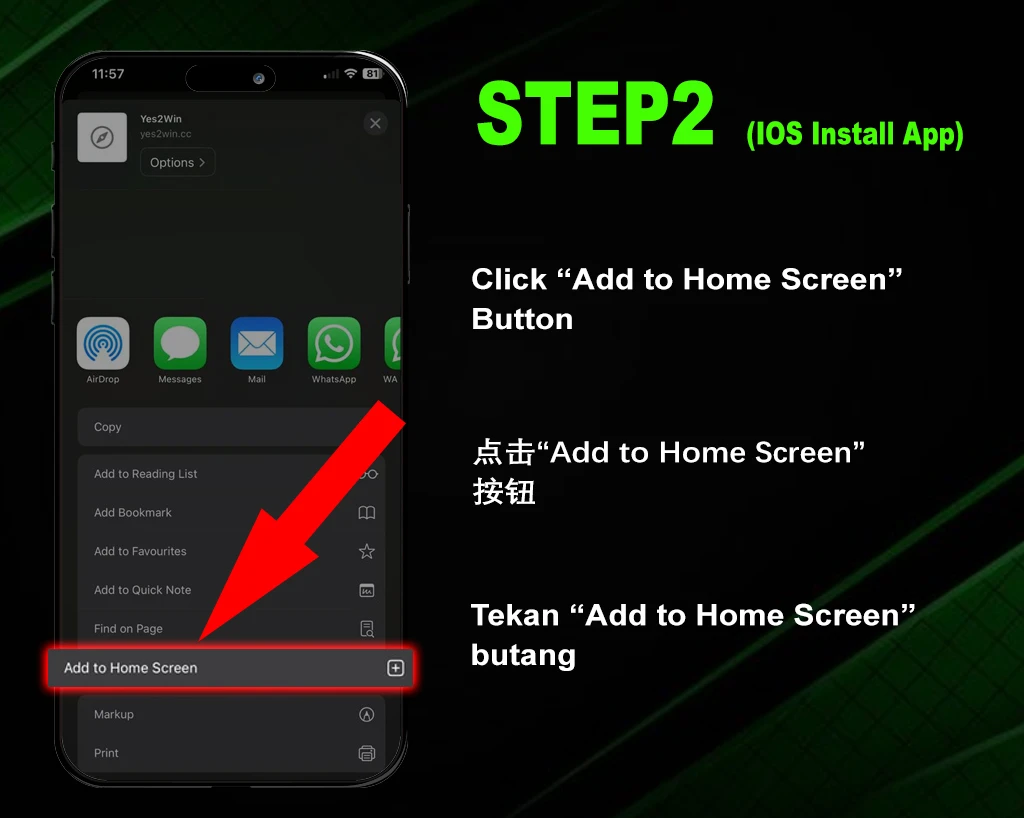
Click “Add To Home Screen” button
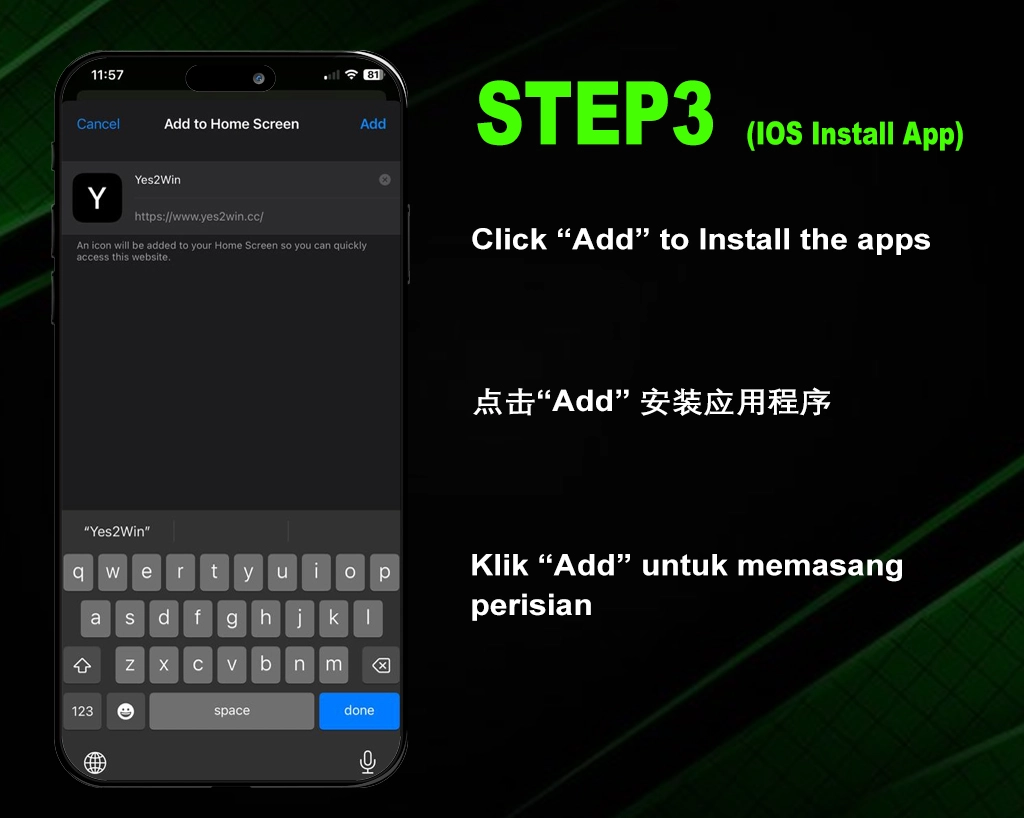
Click “Add” to add the website to your home screen
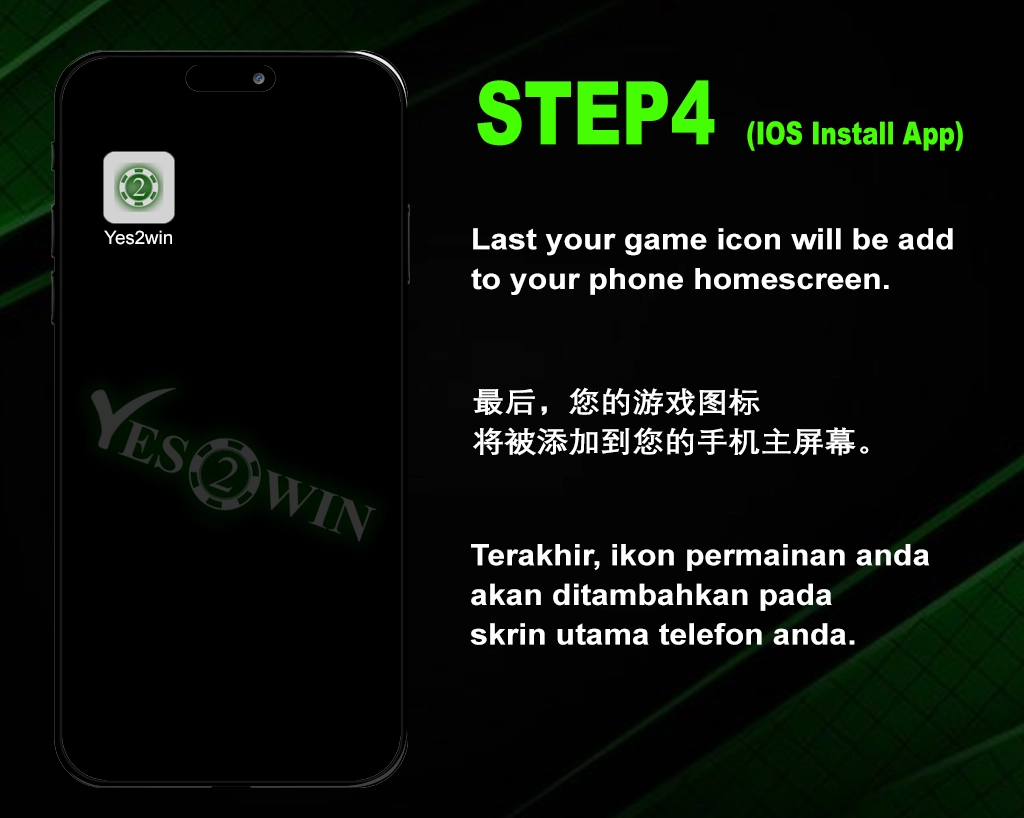
Lastly, your website icon will be added on your phone home screen
Search Yes2win99.com then click the “3 dots” settings button
Click “Install” to add the website to your home screen